

Most “best travel apps” articles are written by marketing teams or affiliate bloggers who get paid every time you click through to download something. The rankings reflect revenue, not usefulness.
This one is different — and we’ll be upfront about why: it’s written by the team that built Tripsil, one of the five apps on this list. We’re including our competitors because that’s the only way this review is actually useful to you. We’ve tested all five. We’ll tell you honestly what each one is good at and where each one falls short — including ourselves.
The filter we applied: these are the best travel planning apps for groups. Not solo travel. Not business trips. For 4–15 people planning a trip together, with shared costs, shared decisions, and the need to keep everyone on the same page.
Last updated: April 2026.
How We Evaluated Each App (The Five Criteria)

Every app was assessed on the same five criteria. These are the things a group actually needs — not features that look impressive in a press release.
| Criterion | What We Looked For |
| 1. Group collaboration | Can every group member view and edit the plan? Real-time updates? |
| 2. Expense splitting | Is it free? Is it automatic? Does it require a separate app? |
| 3. In-trip communication | Built-in group chat? Connected to the itinerary? |
| 4. Offline access | Does the full plan work without WiFi or mobile data? |
| 5. Price | What’s genuinely free versus what’s behind a paywall? |
We’ll reference this table throughout. At the end, there’s a full side-by-side comparison.
#1 — Tripsil — Trips Simplified — Best for Full Group Trip Coordination
Best for: Friend groups, families, bachelorette trips, road trips, any group trip where everyone needs to be on the same page Pricing: Free core (all features listed here) · Paid storage tier for large photo/video uploads Download:App Store · Google Play
We’ll be transparent: we built this app. We’re ranking it #1 because it genuinely wins on the group coordination criteria that this list is built around — not because it’s ours.
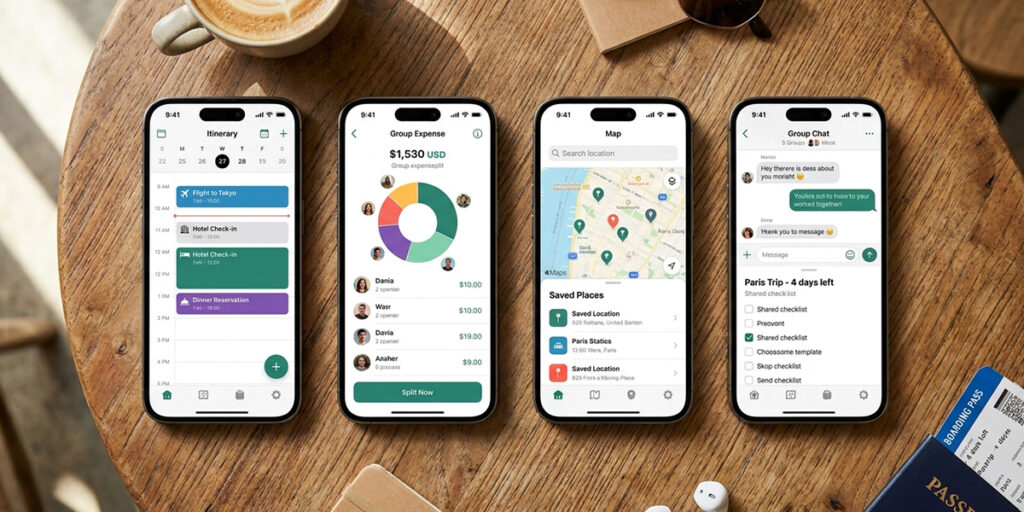
Tripsil launched in March 2026. It has a smaller user base than Wanderlog or Splitwise, and that’s a real consideration. If community features or broad third-party integrations matter to you, the more established apps have an edge there. What Tripsil does that none of the others do — not even close — is combine all five group travel functions in one free app.
What Tripsil Does Well
Full group collaboration: Every group member can edit the shared itinerary in real time. One invite link — no account required to join. Everyone sees every change the moment it’s made.
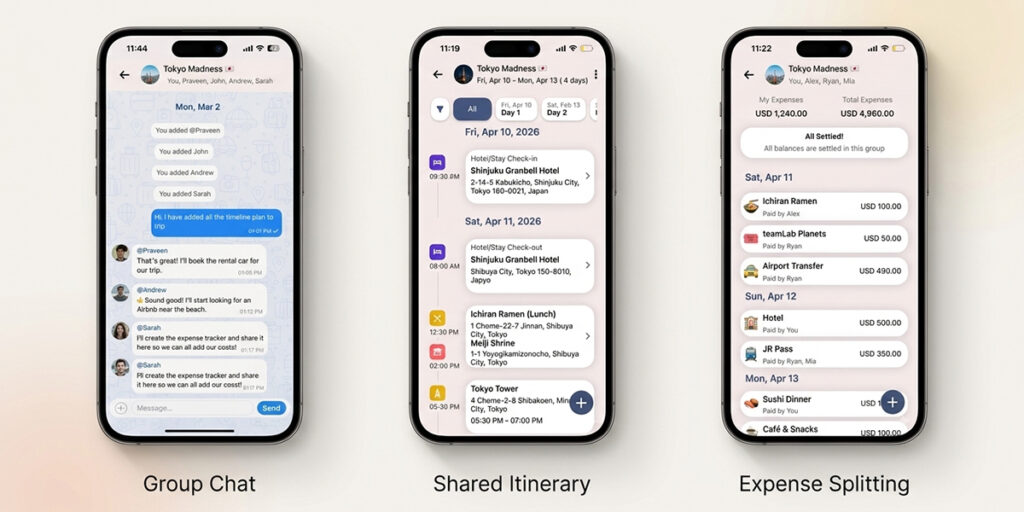
Expense splitting built in: Not a separate app you have to open. The expense tracker lives inside the trip — next to the itinerary item that generated the cost, accessible from the same screen as the group chat. Three taps to log an expense. Automatic balance calculation. Minimum-transfer final settlement.
Built-in group chat connected to the trip: This is the feature no other app on this list has. Tripsil’s group chat lives inside the trip. When someone asks “what time is dinner?” the conversation happens next to the dinner itinerary item. When someone asks about a cost, the expense tracker is one tap away. Context is built in.
Free offline access: The full itinerary — every activity, booking, and note — is accessible without WiFi or mobile data. This is free, not a paid tier.
Shared photo memories: A group photo album organised by trip and date. Every member can upload. Accessible forever. Never lost in a chat thread.
Where Tripsil Is Still Building
Tripsil is new. The map integration is more basic than Wanderlog’s. The third-party booking import (flights from email, etc.) doesn’t exist yet. The user base is small, which means less community content and fewer pre-built trip suggestions.
If you’re planning a road trip and you want a map-first interface with route optimisation, Wanderlog is currently stronger for that specific use case. Tripsil is the better choice when the coordination challenge — keeping everyone informed, splitting costs, communicating within context — is the primary problem to solve.
#2 — Wanderlog — Best for Map-Based Itinerary Planning and Road Trips
Best for: Road trips, solo or duo travel, itinerary-focused planning where map visualisation is important Pricing: Free tier · Pro at ~$40/year (expense splitting and offline are paywalled) Website: wanderlog.com
Wanderlog is genuinely excellent at what it does. The map interface is one of the best in the space — you can drag stops around a route, see your itinerary plotted visually, and integrate with Google Maps in a way that’s actually useful. If you’re doing a road trip across a country with multiple stops, Wanderlog’s route planning tools are top-tier.
What Wanderlog Does Well
- Map-first itinerary building — destinations plotted visually on a route
- Google Maps and Google Places integration — restaurants and attractions pull in with reviews and hours
- Clean, well-designed interface — easy to use solo or as a shared document
- Strong for long-form trip planning and destination research
Where Wanderlog Falls Short for Groups
Here’s the honest picture for a group of 8 planning a trip together:
Group chat: Absent. Wanderlog has no built-in communication feature. Your group coordination still lives in WhatsApp.
Expense splitting: Behind the Pro paywall (~$40/year per person). Free tier users can’t split costs inside Wanderlog.
Offline access: Also paywalled. On the free tier, you need mobile data to access your itinerary when you’re actually travelling — the moment you most need it.
Collaboration model: Wanderlog allows sharing and collaborative editing, but it was built as a solo-first tool that added sharing later. The group collaboration experience is less seamless than a tool designed for groups from the ground up.
Wanderlog is the right choice if you’re a solo traveller or a couple who wants beautiful itinerary visualisation. For groups of 4+ where shared expenses, communication, and free offline access are essential, the paywall creates friction.
Full comparison:Tripsil vs Wanderlog
#3 — TripIt — Best for Business Travellers and Email-Import Organisation
Best for: Frequent business travellers, people who want automatic trip organisation from confirmation emails Pricing: Free tier · Pro at $49/year (real-time flight alerts, seat tracking, VIP lounge access) Website: tripit.com
TripIt’s core feature is genuinely impressive: forward a confirmation email to plans@tripit.com and it automatically parses the booking into a structured itinerary. Flight confirmation, hotel booking, car rental — it pulls the details, organises them chronologically, and builds your trip without any manual input. For a frequent business traveller managing complex multi-city bookings from different providers, this is enormously useful.
What TripIt Does Well
- Automatic itinerary building from confirmation email forwarding
- Clean, organised view of multi-city business trips
- Flight status tracking and gate change notifications (Pro)
- Long-established app with strong reliability and integrations
Where TripIt Falls Short for Leisure Groups
TripIt is a business travel tool. It knows this and doesn’t pretend otherwise. For a group of friends planning a trip together:
Collaborative editing: TripIt allows sharing a trip with others, but it’s a view-and-comment model, not a collaborative build model. One person imports their bookings; others can see but not edit together.
Expense splitting: Not present. TripIt has no expense tracking or splitting feature of any kind.
Group chat: Not present. TripIt has no communication feature.
Group trip use cases: Bachelorette trips, family holidays, friend group vacations — TripIt simply wasn’t built for these. It shows.
If you’re the organiser of a corporate retreat and you want to collect everyone’s flight confirmations in one view, TripIt’s Pro plan handles that well. For group leisure travel, it’s the wrong tool.
#4 — Splitwise — Best for Standalone Expense Splitting (Not Trip Planning)
Best for: Housemates, flatmates, ongoing shared expenses, groups who already have a separate itinerary app Pricing: Free tier (core splitting) · Pro upgrade for receipt scanning, currency conversion, and charts Website: splitwise.com

Splitwise has over 50 million users. It is the dominant tool in the expense splitting space, and it deserves that position — the UI is clean, the calculation is accurate, and the history view is excellent. If you live with people and share rent, groceries, or utilities, Splitwise is one of the best tools available.
What Splitwise Does Well
- Clean, reliable expense logging and automatic balance calculation
- Strong bill history and individual transaction view
- Widely used — most group members already have an account
- Good currency conversion for international trips
- Works for ongoing shared expenses (not just trips)
What Splitwise Can’t Do
Splitwise does one thing. On a group trip, that creates a dependency problem.
Your group is now running: a WhatsApp thread for communication, a Wanderlog or Google Doc for the itinerary, and Splitwise for expenses. That’s three separate tools, three separate places to check, and three separate sets of context that don’t talk to each other.
The dinner you logged in Splitwise on Day 3? It has no connection to the Day 3 itinerary item in Wanderlog, or the conversation in WhatsApp where you all decided to go to that restaurant. When someone disputes the cost later, you’re manually cross-referencing across three apps.
Splitwise is excellent at its single function. For a group trip, the single function isn’t enough.
Full comparison:Tripsil vs Splitwise
#5 — Tricount — Best Simple Expense Splitter for Small Groups
Best for: Small groups (2–6 people) who want a minimal, fast expense logger with no setup Pricing: Free · No paid tier Website: tricount.com
Tricount is what Splitwise would be if it removed everything except the core expense splitting function and made the interface as simple as possible. There are no user accounts in the traditional sense — you create a count, share a link, and anyone with the link can add expenses. The balance view is clear. It works offline.
What Tricount Does Well
- No-account, link-based access — everyone joins instantly
- Extremely simple UI — one screen, one function
- Offline access — expenses can be logged without mobile data
- Minimal setup — you can start tracking within 30 seconds
- Genuinely free with no upgrade pressure
Where Tricount Stops
Tricount is a receipt tracker. That’s it. No itinerary, no communication, no photo memories, no trip structure of any kind. It’s a list of numbers with a balance calculation.
For a small group — a couple, a group of three close friends — where the coordination challenge is small and the primary need is just a shared expense log, Tricount is the cleanest option available. For any group of 6+ where the full planning challenge matters, it solves one part of a larger problem.
Side-by-Side Comparison — All 5 Apps
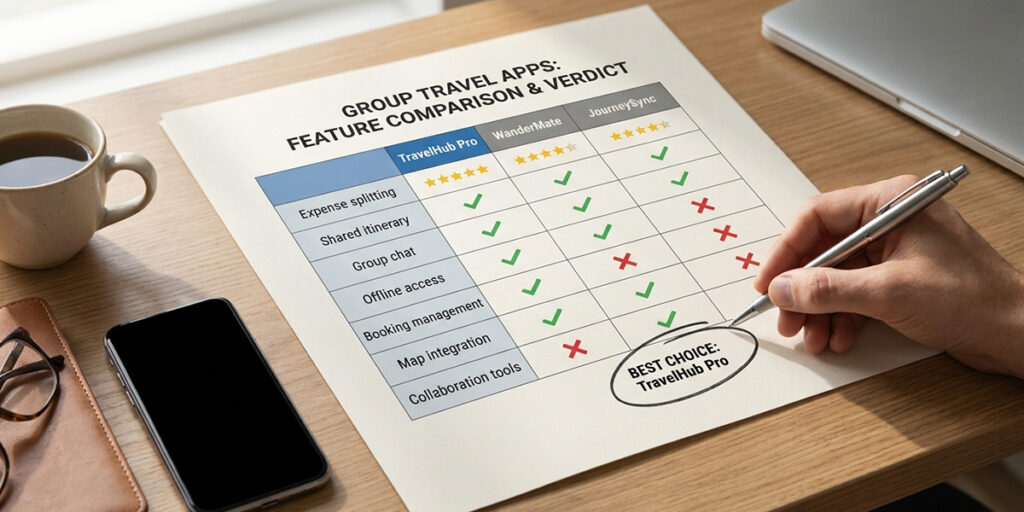
| Feature | Tripsil | Wanderlog | TripIt | Splitwise | Tricount |
| Group itinerary (collaborative) | ✅ Free | ✅ Free | ⚠️ View only | ❌ None | ❌ None |
| Expense splitting | ✅ Free | ❌ Paid | ❌ None | ✅ Free | ✅ Free |
| Built-in group chat | ✅ Free | ❌ None | ❌ None | ❌ None | ❌ None |
| Offline access | ✅ Free | ❌ Paid | ✅ Free | ✅ Free | ✅ Free |
| Shared photo album | ✅ Free | ❌ None | ❌ None | ❌ None | ❌ None |
| Multi-destination trips | ✅ Yes | ✅ Yes | ✅ Yes | ❌ N/A | ❌ N/A |
| Map-based planning | ⚠️ Basic | ✅ Excellent | ⚠️ Basic | ❌ N/A | ❌ N/A |
| Email booking import | ❌ No | ❌ No | ✅ Yes | ❌ N/A | ❌ N/A |
| Free Forever | ✅ Yes | ❌ No | ❌ No | ❌ No | ✅ Yes |
| Established user base | ⚠️ New | ✅ Large | ✅ Large | ✅ Very large | ✅ Medium |
Which App Should You Download? — Three Decision Paths
Path 1: Full group trip coordination (everyone needs to be involved) → Download Tripsil. It’s the only app that covers collaborative itinerary, expense splitting, group chat, offline access, and shared memories in one free tool. For groups of 4–20 planning a trip together, there’s no equivalent.
Path 2: Solo or duo travel with a map-first interface and detailed route planning → Download Wanderlog. If you’re planning a road trip primarily yourself, want Google Maps integration, and are comfortable paying for offline access and expenses, Wanderlog’s interface is genuinely excellent for that use case.
Path 3: Business travel — automatic itinerary from email confirmations → Download TripIt. If you’re a frequent business traveller with complex multi-city bookings from different providers, TripIt’s email import is the best automatic organisation tool available.
For expense-splitting specifically within a group trip, Tripsil’s built-in tool handles it without a separate app. If you’re already deep in the Splitwise ecosystem and just need to log costs during a trip, Splitwise works — you’ll just need to manage the itinerary and communication separately.
Download the Best Group Travel App Free — Tripsil
Most travel apps are built for one traveller who sometimes shares a link. Tripsil is built for the group — the whole group — from the first planning message to the last trip memory.
8 features. One free app. No subscription.
→ Shared itinerary everyone can edit in real time
→ Built-in expense splitting with automatic balance calculation
→ Group chat connected to your itinerary and expenses
→ Shared photo album — trip memories, organised forever
→ Multi-destination trip support
→ Full offline access — no signal, no problem
→ Tasks and packing lists with group assignments
→ One link to invite everyone — Free to use
Download Tripsil App Now — available on iOS and Android:
For a full feature comparison against any specific app: Tripsil vs Wanderlog · Tripsil vs Splitwise · Tripsil vs TripIt
Frequently Asked Questions
Q: What is the best free app for group travel?
Tripsil — Trips Simplified is the best free app for group travel in 2026 because it combines collaborative itinerary planning, automatic expense splitting, a built-in group chat, and a shared photo album in one free tool. All core features are free on iOS and Android with no subscription required — unlike Wanderlog, which paywalls expense splitting and offline access.
Q: Is Wanderlog good for group trips?
Wanderlog is an excellent itinerary planning tool, but it was built primarily for solo and duo travel. Key group travel features — expense splitting and offline access — are behind a paid plan (~$40/year per person). There’s no built-in group chat. For groups of 4+ where shared coordination is the main challenge, Wanderlog’s free tier is missing the essential tools.
Q: Can Splitwise be used for trip planning?
Splitwise handles expense splitting very well, but it has no trip planning features — no itinerary builder, no group chat, no shared memories, no offline access. On a group trip, you’d need a separate itinerary app and a separate communication tool running alongside Splitwise. Tripsil replaces all three with one free download.
Q: Which app is best for splitting travel expenses?
For standalone expense splitting, Splitwise and Tricount are both strong free options. For expense splitting integrated into a trip — where costs are connected to the itinerary items and group chat that generated them — Tripsil’s built-in expense tracker is the better choice. It eliminates the need for a separate app entirely.
Q: Is there an app that combines itinerary and expense splitting?
Yes — Tripsil — Trips Simplified combines collaborative itinerary building, automatic expense splitting, built-in group chat, and shared photo memories in one free app. It’s the only app on this list that covers all four group travel functions without requiring a paid plan or a separate tool for any of them.