

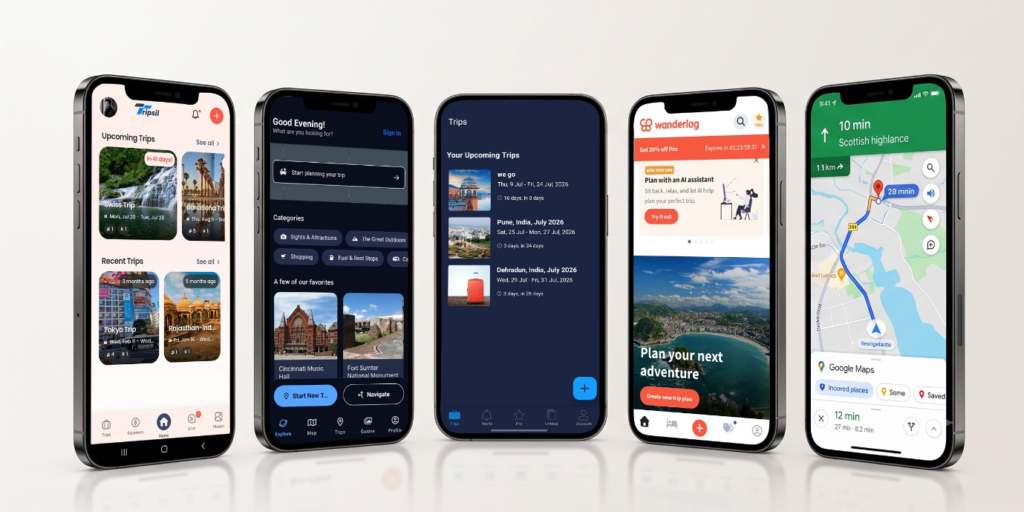
Planning a trip today involves much more than booking flights and hotels. Travelers now expect one app to organize itineraries, save reservations, navigate offline, collaborate with companions, track expenses, and keep important information accessible throughout the journey.
The problem is that no single travel planning app excels at everything.
Some apps are designed for solo travelers, others focus on business trips, while a few are built specifically to help groups plan together. Choosing the wrong app can leave you juggling multiple tools—or worse, relying on spreadsheets and endless group chats.
In this guide, we’ve compared the best travel planning apps in 2026 using a transparent evaluation framework based on real-world travel planning. Instead of simply ranking apps from best to worst, we’ll help you choose the right app based on how you travel.
Whether you’re planning a weekend getaway, a family vacation, a backpacking adventure, or a trip with friends, this guide will help you find the travel planning app that fits your needs.
Quick Answer: What Is the Best Travel Planning App in 2026?
There isn’t one “best” travel planning app for everyone.
The right choice depends on your travel style and what you need the app to do.
- Tripsil — Best for collaborative travel planning, family vacations, and trips with friends.
- Wanderlog — Best all-around itinerary planner for solo travelers and couples.
- TripIt — Best for frequent business travelers.
- Roadtrippers — Best for road trips.
- Google Maps — Best free navigation companion.
- Polarsteps — Best for documenting and sharing your travels.
If you’re planning with other people, features like shared itineraries, expenses, checklists, notes, offline access, and photo sharing become just as important as maps. That’s where dedicated collaborative travel planners like Tripsil stand out.
Quick Recommendation: Choose the app that matches your travel style—not simply the one with the longest feature list.
Best Travel Planning Apps by Travel Style
| If You Are… | Recommended App | Why We Recommend It |
| Planning with Friends | Tripsil | Shared itineraries, expenses, offline access, notes, checklists, and photo sharing make collaboration effortless. |
| Planning a Family Vacation | Tripsil | Keeps everyone organized in one shared workspace. |
| Solo Traveler | Wanderlog | Excellent itinerary builder with map-based planning. |
| Couple | Wanderlog | Simple collaboration without unnecessary complexity. |
| Business Traveler | TripIt | Automatically organizes reservations from confirmation emails. |
| Road Trip Enthusiast | Roadtrippers | Designed specifically for scenic routes and driving adventures. |
| Backpacker | Polarsteps | Automatically records your journey and creates beautiful travel journals. |
| International Traveler | Wanderlog | Strong itinerary planning with offline functionality. |
| Traveler Who Loves Customization | Notion | Fully customizable travel planning workspace. |
| Looking for Free Navigation | Google Maps | Industry-leading navigation and offline maps. |
Travel Planning Apps Comparison Table
| App | Best For | Offline Access | Collaboration | Shared Expenses | Shared Notes | Photo Sharing | Overall Experience |
| Tripsil | Collaborative Travel | ✅ | ⭐⭐⭐⭐⭐ | ✅ | ✅ | ✅ | ⭐⭐⭐⭐⭐ |
| Wanderlog | Solo & Couple Trips | ✅ | ⭐⭐⭐⭐ | ✅ | Limited | Limited | ⭐⭐⭐⭐⭐ |
| TripIt | Business Travel | Limited | ⭐⭐ | ❌ | ❌ | ❌ | ⭐⭐⭐⭐☆ |
| Google Travel | Casual Planning | ❌ | ⭐ | ❌ | ❌ | ❌ | ⭐⭐⭐⭐☆ |
| Google Maps | Navigation | ✅ | ⭐ | ❌ | ❌ | ❌ | ⭐⭐⭐⭐☆ |
| Roadtrippers | Road Trips | Partial | ⭐⭐⭐ | ❌ | ❌ | ❌ | ⭐⭐⭐⭐☆ |
| Polarsteps | Travel Journals | ✅ | ⭐⭐⭐ | ❌ | Limited | ✅ | ⭐⭐⭐⭐☆ |
| Sygic Travel | International Trips | ✅ | ⭐⭐ | ❌ | ❌ | ❌ | ⭐⭐⭐⭐☆ |
| Notion | Custom Planning | Limited | ⭐⭐⭐⭐⭐ | Manual | ✅ | Manual | ⭐⭐⭐⭐☆ |
| Trello | Simple Planning | Limited | ⭐⭐⭐⭐ | Manual | Limited | ❌ | ⭐⭐⭐⭐☆ |
Our Take: If you’re traveling alone, Wanderlog is one of the strongest itinerary planners available. If you’re coordinating a trip with multiple people, Tripsil offers one of the most complete collaborative planning experiences.
How We Evaluated These Travel Planning Apps
Not every traveler values the same features.
A digital nomad planning monthly flights has different priorities than a family organizing a summer vacation or a group of friends coordinating a long weekend.
Rather than ranking apps purely on popularity, we evaluated them using a weighted framework based on how people actually plan trips today.
Our evaluation considered:
- Official product documentation
- Feature completeness
- Ease of learning
- Real-world travel planning workflows
- Collaboration capabilities
- Offline usability
- Cross-device support
- Overall value
- User experience
Key Takeaway: The best travel planning app isn’t the one with the most features—it’s the one that best fits your travel style.
What Makes a Great Travel Planning App?
A modern travel planning app should do more than organize bookings. The best apps simplify the entire travel experience—from the moment you start researching destinations until you return home.
Here are the features that matter most.
1. Easy Itinerary Planning
A good travel planning app should let you build and edit a day-by-day itinerary without relying on spreadsheets or scattered notes.
Look for:
- Drag-and-drop scheduling
- Multi-day itineraries
- Flexible editing
- Automatic organization
2. Interactive Maps
Maps provide context that lists simply can’t.
They help you:
- Optimize routes
- Reduce unnecessary travel time
- Discover nearby attractions
- Plan each day more efficiently
3. Offline Access
Travel doesn’t always come with reliable internet.
The best apps let you access:
- Itineraries
- Addresses
- Accommodation details
- Travel documents
- Maps
- Notes
even when you’re offline.
4. Collaboration
If you’re traveling with other people, collaboration quickly becomes one of the most important features.
Look for apps that support:
- Shared itineraries
- Real-time editing
- Shared notes
- Shared checklists
- Expense tracking
- Group discussions
- Photo sharing
Instead of coordinating across messaging apps, spreadsheets, and email, collaborative travel apps keep everything in one place.
5. Expense Tracking
Managing shared expenses is one of the biggest pain points during group travel.
The best apps make it easy to:
- Record expenses
- Track balances
- Split costs
- View trip budgets
without switching to another app.
6. Notes, Photos, and Travel Documents
Travel plans often include restaurant recommendations, packing lists, visa information, emergency contacts, tickets, and memorable moments.
Keeping all of this alongside your itinerary makes planning far more efficient.
Apps that support shared notes and photo sharing are especially valuable for families and groups who want to keep everyone informed before, during, and after the trip.
7. Cross-Device Syncing
Most travelers research destinations on a laptop but use their phone while traveling.
A great travel planner should seamlessly synchronize everything across devices so your plans are always up to date.
Why Your Travel Style Matters More Than Features
Many comparison articles focus on which app has the longest feature list.
We believe that’s the wrong question.
A solo traveler doesn’t need the same tools as a family of six.
Likewise, a business traveler doesn’t need collaborative planning, while a group of friends may depend on shared expenses, notes, and offline access.
That’s why this guide recommends apps based on how you travel, not just what features they advertise.
In the next section, we’ll review each app in detail, explaining its strengths, limitations, and who should choose it.
Detailed Reviews: The 10 Best Travel Planning Apps in 2026 (Apps 1–5)
Now that you know which apps are best for different travel styles, let’s look at each one in more detail.
Rather than simply listing features, we’ve evaluated each app based on where it performs best, where it falls short, and who will benefit most from using it.
1.Tripsil — Best for Collaborative Travel Planning
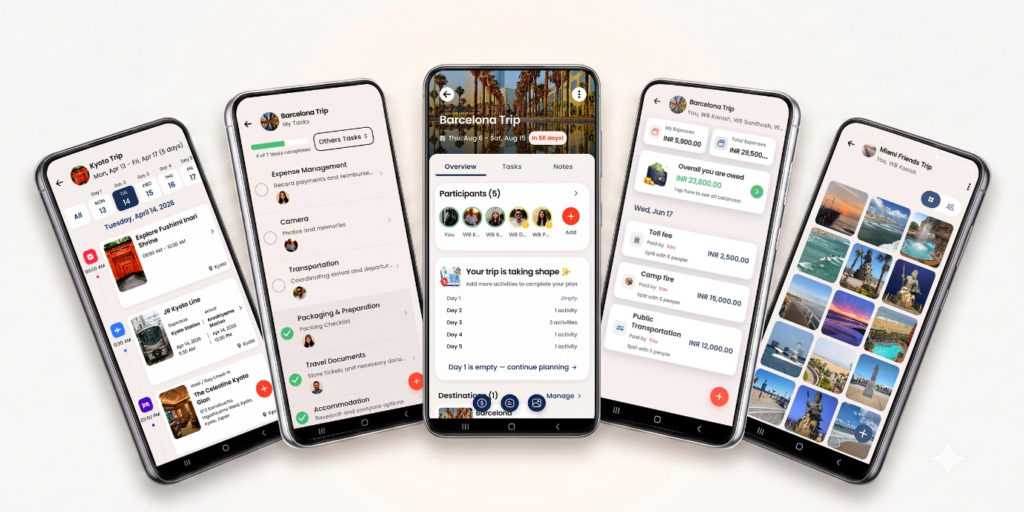
Best for: Friends, families, clubs, college trips, destination weddings, corporate outings, and anyone planning together.
Overview
Unlike many travel planning apps that focus primarily on building itineraries, Tripsil is designed around a simple idea: travel planning is better when everyone can contribute.
Instead of switching between WhatsApp, Google Docs, spreadsheets, note-taking apps, and expense trackers, Tripsil brings every part of trip planning into one shared workspace. Everyone stays on the same page, whether you’re discussing destinations, updating the itinerary, splitting expenses, or sharing memories during the trip.
This collaborative-first approach makes Tripsil especially valuable for trips involving multiple people, where communication and coordination are often the biggest challenges.
Key Features
- Shared itineraries
- Real-time collaborative planning
- Offline itinerary access
- Expense tracking
- Shared notes
- Shared checklists
- Photo sharing
- Trip discussions
- Centralized planning dashboard
- Cross-device syncing
Pros
- Purpose-built for collaborative travel
- Excellent offline support
- Reduces app switching
- Shared expenses, notes, and checklists in one place
- Photo sharing keeps trip memories together
- Clean and easy-to-use interface
Cons
- Frequent business travelers who only need automatic booking imports may prefer TripIt.
- Solo travelers looking for a lightweight itinerary planner may not use every collaboration feature.
Pricing
Free plan available with premium features available depending on your subscription. Always check the official Tripsil website for the latest pricing.
Platforms
- iOS
- Android
Who Should Skip Tripsil?
If you travel almost exclusively for business and simply want an app to organize airline and hotel confirmation emails automatically, TripIt is a better fit.
Expert Verdict
Tripsil isn’t trying to be another itinerary app—it aims to become the shared workspace for your entire trip. Its combination of collaborative itineraries, offline access, expenses, notes, checklists, and photo sharing makes it one of the most complete travel planning solutions for groups. If you’re planning with other people, it’s one of the strongest options available today.
2. Wanderlog — Best for Solo Travelers & Couples
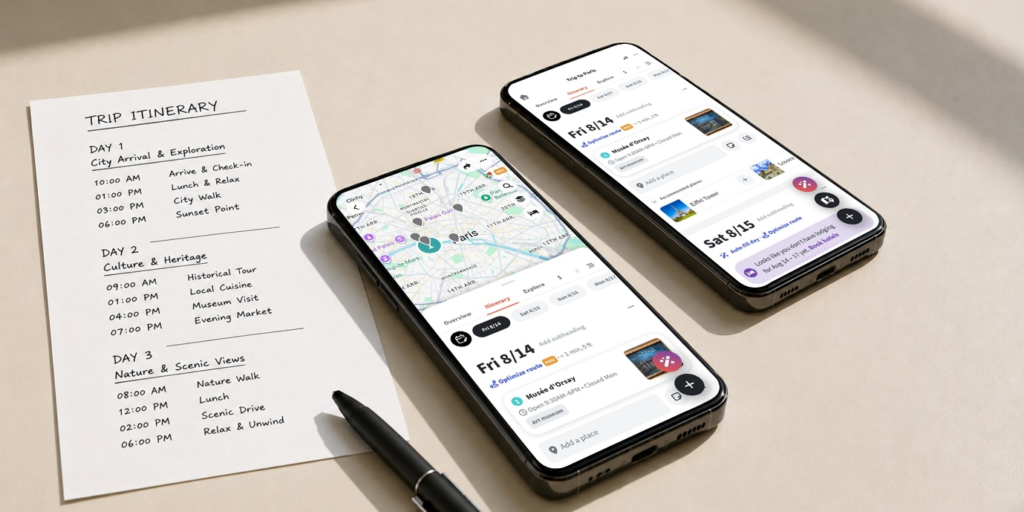
Best for: Solo travelers, couples, backpackers, and multi-city vacations.
Overview
Wanderlog has earned its reputation by making itinerary planning remarkably simple. Its intuitive interface combines maps, reservations, daily schedules, and budgeting into one polished experience that’s easy to learn.
Unlike many productivity tools adapted for travel, Wanderlog is purpose-built for trip planning. It performs especially well for travelers organizing their own vacations, where route optimization and itinerary management matter more than deep collaboration.
Key Features
- Interactive itinerary builder
- Drag-and-drop planning
- Reservation imports
- Map-based trip planning
- Offline access
- Budget tracking
- Packing lists
- AI trip planning assistance
Pros
- Excellent itinerary planning
- Modern interface
- Easy learning curve
- Strong mapping tools
- Helpful free plan
Cons
- Some premium features require Wanderlog Pro
- Collaboration is good but less comprehensive than dedicated collaborative travel planners
- Limited shared planning tools compared to Tripsil
Pricing
Free plan available with optional Wanderlog Pro subscription.
Platforms
- Web
- iOS
- Android
Who Should Skip Wanderlog?
Families and larger groups that need shared notes, collaborative checklists, expense tracking, discussions, and photo sharing may find Tripsil better suited to their workflow.
Expert Verdict
Wanderlog is one of the best itinerary planning apps available today. For solo travelers and couples, it offers an excellent balance of planning, maps, and usability. However, once trip planning becomes highly collaborative, dedicated group-focused platforms provide a smoother experience.
3. TripIt — Best for Business Travelers
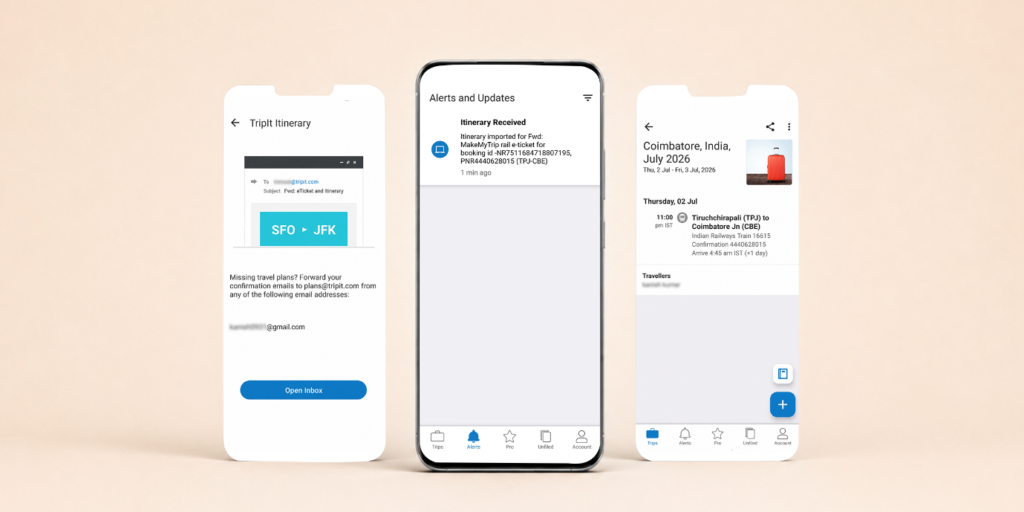
Best for: Frequent flyers, consultants, remote workers, and corporate travelers.
Overview
TripIt approaches travel planning differently. Rather than asking users to manually build itineraries, it automatically creates one from airline, hotel, rental car, and meeting confirmation emails.
For professionals juggling multiple business trips each year, this automation significantly reduces manual work.
Key Features
- Automatic itinerary creation
- Email reservation imports
- Flight alerts (Pro)
- Calendar sync
- Travel document organization
- Seat tracking (Pro)
Pros
- Saves considerable planning time
- Excellent for business travel
- Automatic itinerary organization
- Reliable synchronization
Cons
- Minimal collaboration
- Limited group planning features
- Expense tracking requires separate tools
- Better for managing reservations than planning experiences
Pricing
Free version available with optional TripIt Pro subscription.
Platforms
- Web
- iOS
- Android
Who Should Skip TripIt?
Families and groups planning vacations together may find TripIt too focused on business travel logistics. If your trip involves shared planning rather than automatic reservation management, Tripsil or Wanderlog will be more suitable.
Expert Verdict
TripIt remains the gold standard for business travel organization. It excels at automatically organizing bookings, but it isn’t intended to replace collaborative itinerary planning.
4. Google Travel — Best Free Travel Organizer
Best for: Casual travelers, weekend getaways, and Google ecosystem users.
Overview
Google Travel helps users research destinations, monitor flight prices, discover hotels, and organize trip information using their Google account.
Because it integrates naturally with Gmail, Google Maps, and Google Search, it requires very little setup. It’s an excellent starting point for travelers who want a free planning tool without installing another app.
Key Features
- Flight price tracking
- Hotel search
- Saved trips
- Google Maps integration
- Destination recommendations
- Google account synchronization
Pros
- Completely free
- Seamless Google integration
- Easy to use
- Excellent destination research
Cons
- No dedicated mobile app
- Limited itinerary customization
- Minimal collaboration
- No expense management
Pricing
Free.
Platforms
- Web
Who Should Skip Google Travel?
If you’re planning a detailed itinerary, organizing multiple travelers, or managing expenses, you’ll quickly outgrow Google Travel’s capabilities.
Expert Verdict
Google Travel is a fantastic research and trip discovery tool, but it works best alongside a dedicated travel planning app rather than replacing one.
5. Google Maps — Best Navigation Companion
Best for: Navigation, discovering places, and offline maps.
Overview
Nearly every traveler already uses Google Maps—and for good reason. It’s the world’s most widely used navigation platform, offering detailed maps, business listings, public transport information, and offline downloads.
While it isn’t a true travel planner, it remains an essential companion for almost every trip.
Key Features
- Turn-by-turn navigation
- Offline maps
- Saved places
- Custom lists
- Restaurant reviews
- Live traffic
- Street View
- Public transport directions
Pros
- Completely free
- Outstanding global coverage
- Reliable offline maps
- Extensive location database
- Excellent navigation
Cons
- Doesn’t build itineraries
- No collaborative planning
- No expense tracking
- No booking management
Pricing
Free.
Platforms
- Web
- iOS
- Android
Who Should Skip Google Maps?
Almost nobody should. However, don’t expect it to replace a travel planning app. Google Maps works best when paired with tools like Tripsil, Wanderlog, or TripIt.
Expert Verdict
Google Maps remains the best navigation app in the world. It helps you get where you’re going—but it doesn’t help you organize the journey itself. For the best experience, combine it with a dedicated travel planning app.
6. Roadtrippers — Best for Road Trips
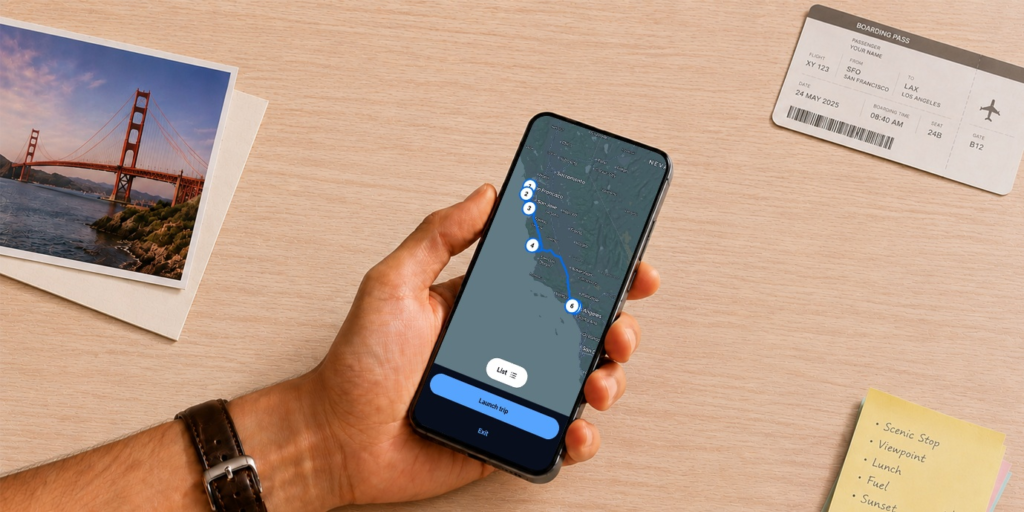
Best for: Road trips, RV travel, camping vacations, and scenic driving routes.
Roadtrippers is one of the few travel planning apps built specifically for road travel. Instead of simply helping you organize destinations, it helps you discover everything worth seeing between them.
Whether you’re driving across the United States, exploring national parks, or planning a weekend camping trip, Roadtrippers makes route planning significantly more enjoyable by suggesting scenic stops, restaurants, attractions, fuel stations, and campgrounds along the way.
Key Features
- Route optimization
- Scenic stop recommendations
- National park information
- Campground discovery
- Fuel stop planning
- Trip sharing
- Offline routes (Premium)
Pros
- Outstanding route planning
- Great discovery engine
- Excellent for RV travelers
- Easy-to-use interface
Cons
- Focused primarily on driving trips
- Limited usefulness for international city travel
- Premium subscription required for some advanced features
Pricing
Free version available with optional premium subscription.
Platforms
- Web
- iOS
- Android
Who Should Skip Roadtrippers?
If you’re flying internationally or planning city vacations rather than driving, apps like Wanderlog or Tripsil provide a more complete planning experience.
Expert Verdict
Roadtrippers dominates its niche. If your trip revolves around the drive rather than the destination, few apps do it better.
7. Polarsteps — Best for Travel Journaling
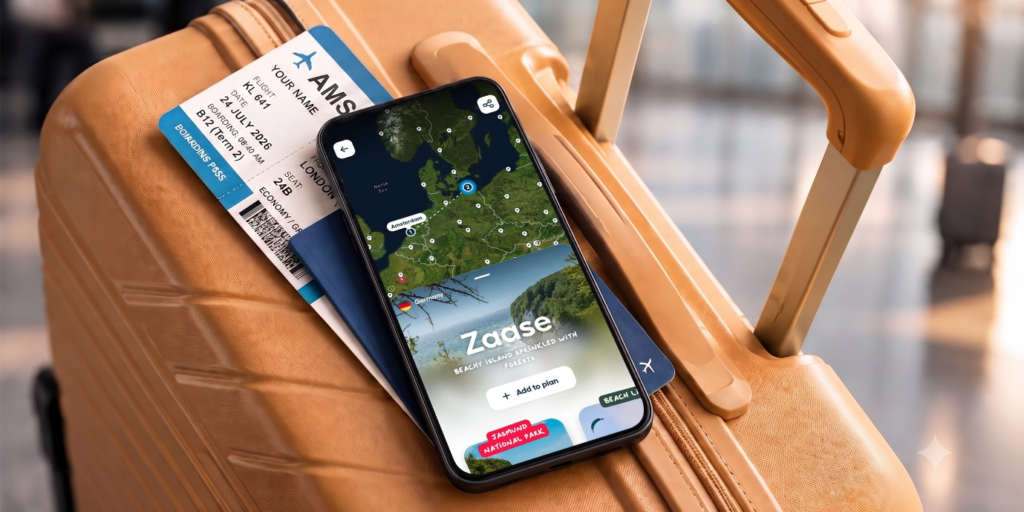
Best for: Backpackers, long-term travelers, digital nomads, and adventure travelers.
Overview
Polarsteps isn’t primarily a planning app—it’s a travel companion.
The app automatically tracks your route, lets you document experiences with photos and notes, and turns your journey into a beautiful digital travel journal. It even allows users to create printed travel books after their trip.
Key Features
- Automatic route tracking
- Interactive travel map
- Travel journal
- Photo sharing
- Offline tracking
- Trip statistics
- Printed travel books
Pros
- Beautiful travel journals
- Excellent photo organization
- Automatic location tracking
- Great storytelling experience
Cons
- Limited itinerary planning
- Minimal collaboration
- Doesn’t organize bookings
- Expense tracking unavailable
Pricing
Free with optional premium products.
Platforms
- iOS
- Android
Who Should Skip Polarsteps?
Travelers looking for itinerary planning, reservations, shared planning, or budgeting should use another app alongside Polarsteps.
Expert Verdict
Polarsteps excels after your journey begins. It captures memories better than almost any other travel app, but it shouldn’t replace a dedicated planning tool.
8. Sygic Travel — Best for International Travel
Best for: International vacations, sightseeing, and offline city exploration.
Overview
Sygic Travel helps travelers discover attractions, build sightseeing itineraries, and navigate unfamiliar destinations—even without an internet connection.
Its biggest strength is offline travel. Instead of depending on expensive roaming or unreliable Wi-Fi, travelers can access maps, attractions, and itineraries wherever they go.
Key Features
- Offline maps
- Attraction database
- City guides
- Day planner
- Travel time estimates
- Route visualization
Pros
- Excellent offline support
- Great sightseeing recommendations
- Useful city planning
- Easy route visualization
Cons
- Limited collaboration
- Fewer planning features than Wanderlog
- Smaller ecosystem than Google Maps
Pricing
Free version available with premium upgrades.
Platforms
- Web
- iOS
- Android
Who Should Skip Sygic Travel?
Families and groups looking for collaborative planning will likely find Tripsil more useful.
Expert Verdict
Sygic Travel shines when internet access is limited. It’s especially valuable for international travelers who prioritize offline navigation and sightseeing.
9. Notion — Best Customizable Travel Planner
Best for: Power users, digital nomads, and travelers who enjoy building custom workflows.
Overview
Notion isn’t designed specifically for travel, yet many experienced travelers use it as a highly flexible planning system.
Using templates, databases, calendars, and collaborative pages, users can create completely personalized travel dashboards that manage itineraries, budgets, research, packing lists, and travel documents.
Key Features
- Custom templates
- Databases
- Calendars
- Shared workspaces
- Notes
- Checklists
- File storage
Pros
- Extremely flexible
- Excellent collaboration
- Massive template library
- Useful beyond travel
Cons
- Requires manual setup
- No built-in maps
- No travel-specific automation
- Learning curve
Pricing
Generous free plan with paid upgrades.
Platforms
- Web
- Windows
- macOS
- iOS
- Android
Who Should Skip Notion?
Travelers looking for a ready-to-use travel planning app will find dedicated solutions much easier.
Expert Verdict
Notion rewards users willing to invest time in customization. If you’d rather start planning immediately, purpose-built travel apps offer a smoother experience.
10. Trello — Best for Simple Trip Organization
Best for: Weekend trips, simple vacations, and travelers who prefer task-based planning.
Overview
Trello adapts its popular Kanban board system to travel planning.
Users create cards for flights, hotels, packing lists, activities, and reminders, making it an effective lightweight planning solution—especially for small groups already familiar with Trello.
Key Features
- Kanban boards
- Checklists
- Due dates
- Comments
- Attachments
- Automation
- Team collaboration
Pros
- Extremely simple
- Easy collaboration
- Flexible organization
- Excellent free plan
Cons
- No maps
- No itinerary timeline
- No travel-specific features
- Manual organization required
Pricing
Free plan with premium subscriptions available.
Platforms
- Web
- Windows
- macOS
- iOS
- Android
Who Should Skip Trello?
Anyone planning complex vacations with multiple reservations, destinations, or transportation schedules will quickly outgrow Trello.
Expert Verdict
Trello works surprisingly well for organizing travel tasks but isn’t a dedicated travel planner. It’s best suited to travelers who already use Trello for work or personal projects.
Which App Wins Each Category?
Instead of asking, “Which app is the best?”, it’s more useful to ask, “Which app is best for this specific job?”
| Category | Winner | Why |
| Best Collaborative Planning | 🏆 Tripsil | Shared itineraries, notes, checklists, expenses, discussions, and photo sharing in one workspace. |
| Best Group Travel | 🏆 Tripsil | Built specifically for planning trips with multiple people. |
| Best Family Vacations | 🏆 Tripsil | Keeps everyone organized before and during the trip. |
| Best Shared Expenses | 🏆 Tripsil | Integrated expense tracking removes the need for separate apps. |
| Best Shared Itinerary | 🏆 Tripsil | Real-time updates ensure everyone sees the latest plan. |
| Best Solo Travel | 🏆 Wanderlog | Excellent itinerary planning with intuitive maps. |
| Best Couples Travel | 🏆 Wanderlog | Clean interface and straightforward collaboration. |
| Best Business Travel | 🏆 TripIt | Automatic reservation imports save time. |
| Best Road Trips | 🏆 Roadtrippers | Purpose-built route planning and attraction discovery. |
| Best Navigation | 🏆 Google Maps | Industry-leading navigation and offline maps. |
| Best Travel Journal | 🏆 Polarsteps | Automatic route tracking and photo journals. |
| Best Offline Sightseeing | 🏆 Sygic Travel | Offline maps and destination guides. |
| Best Custom Planning | 🏆 Notion | Unlimited customization possibilities. |
Common Mistakes When Choosing a Travel Planning App
Many travelers download the most popular app without considering whether it actually fits their travel style.
Here are six common mistakes to avoid.
1. Choosing Based Only on Popularity
The most downloaded app isn’t automatically the best for your needs.
Instead: Choose based on your travel style.
2. Using Multiple Apps for Everything
Many travelers manage itineraries in one app, expenses in another, notes elsewhere, and photos somewhere else.
This quickly becomes confusing.
Instead: Choose a platform that centralizes as much of your planning as possible.
3. Ignoring Collaboration
If you’re traveling with others, collaboration matters more than you think.
Without shared planning, information becomes scattered across messages and screenshots.
Instead: Look for shared itineraries, expenses, notes, and checklists.
4. Forgetting Offline Access
Internet isn’t guaranteed while traveling.
Offline access becomes essential when visiting remote destinations or traveling internationally.
5. Paying for Features You Won’t Use
Many premium subscriptions include features that casual travelers rarely need.
Start with the free version and upgrade only if your travel habits justify it.
6. Expecting One App to Do Everything
No travel app is perfect.
Many experienced travelers combine two apps—for example:
- Tripsil + Google Maps
- Wanderlog + Google Maps
- TripIt + Google Maps
- Polarsteps + Tripsil
This combination often delivers the best overall experience.
Key Takeaway: The best travel planning setup isn’t necessarily one app—it’s the combination of tools that fits your travel style. For group travel, however, apps that combine collaboration, itineraries, expenses, notes, and offline access in one place can significantly reduce planning complexity.
Frequently Asked Questions
What is the best travel planning app in 2026?
There isn’t one best travel planning app for everyone. The right choice depends on how you travel. If you’re planning with friends or family, Tripsil is one of the best options because it combines shared itineraries, offline access, expenses, notes, checklists, and photo sharing in one place. Solo travelers may prefer Wanderlog, while TripIt remains an excellent choice for frequent business travelers.
Which travel planning app is best for group trips?
If collaboration is your biggest priority, Tripsil is our top recommendation. Unlike many travel planners that focus only on itineraries, Tripsil allows groups to collaboratively plan itineraries, split expenses, share notes, upload photos, create checklists, and keep everyone updated in real time.
Are travel planning apps free?
Most travel planning apps offer a free version with optional premium plans.
- Tripsil – Free
- Wanderlog – Free with optional Pro
- TripIt – Free with optional Pro
- Google Maps – Free
- Google Travel – Free
- Roadtrippers – Limited free plan
- Polarsteps – Free
- Sygic Travel – Free with premium upgrades
If you travel only occasionally, the free versions are usually sufficient. Frequent travelers may benefit from premium features such as offline access, advanced planning tools, or travel alerts.
Can I plan an entire vacation using Google Maps?
Not really.
Google Maps is excellent for navigation, discovering attractions, and downloading offline maps, but it doesn’t organize reservations, build day-by-day itineraries, manage shared expenses, or support collaborative trip planning.
Many travelers pair Google Maps with a dedicated planning app like Tripsil or Wanderlog.
Which travel planning app works offline?
Several apps offer offline functionality, including:
- Tripsil
- Wanderlog
- Google Maps
- Polarsteps
- Sygic Travel
- Roadtrippers (Premium)
Offline capabilities differ between apps, so it’s worth checking exactly which features remain accessible without an internet connection.
Which app is best for family vacations?
For family trips, we recommend Tripsil.
Families often need more than just an itinerary—they need shared plans, packing lists, expenses, notes, reminders, and easy communication. Tripsil centralizes these features into a single shared workspace, making it easier for everyone to stay organized.
Which app is best for business travelers?
TripIt remains the best choice for business travel because it automatically organizes travel reservations from confirmation emails and creates a structured itinerary with minimal effort.
Do I need more than one travel app?
Sometimes.
Many experienced travelers use:
- Tripsil + Google Maps (planning + navigation)
- Wanderlog + Google Maps (itinerary + navigation)
- TripIt + Google Maps (business travel + navigation)
Using one planning app and one navigation app often provides the best overall experience.
Final Recommendations
Instead of naming one universal winner, here’s our recommendation based on different travel styles.
| Travel Style | Recommended App | Why |
| Friends | Tripsil | Best collaborative planning experience |
| Families | Tripsil | Shared itineraries, expenses, notes, checklists, and photo sharing |
| Group Tours | Tripsil | Keeps everyone synchronized throughout the trip |
| Solo Travelers | Wanderlog | Excellent itinerary planning and maps |
| Couples | Wanderlog | Simple, intuitive, and easy to organize together |
| Business Travelers | TripIt | Automatic reservation management |
| Road Trips | Roadtrippers | Built specifically for driving adventures |
| International Travel | Wanderlog | Strong itinerary planning with offline support |
| Backpackers | Polarsteps | Beautiful travel journals and route tracking |
| Travelers Who Love Customization | Notion | Fully customizable planning workspace |
Why Tripsil Stands Out
Many travel planning apps solve one problem.
Some help organize reservations.
Some help build itineraries.
Others help with navigation.
But planning a trip—especially with other people—involves much more than that.
You need to:
- Decide where to go
- Build an itinerary
- Keep everyone updated
- Share travel ideas
- Split expenses
- Create packing lists
- Save important notes
- Access plans offline
- Share trip photos
Most travelers end up using four or five different apps to accomplish this.
Tripsil takes a different approach.
Instead of asking you to switch between messaging apps, spreadsheets, note-taking tools, expense trackers, and photo-sharing platforms, it brings everything together into one collaborative workspace.
For families, friends, clubs, and teams, that means less confusion, fewer forgotten details, and a smoother planning experience from start to finish.
Our Verdict
Every app in this guide deserves its place.
- If you’re traveling alone, Wanderlog is one of the best itinerary planners available.
- If you travel frequently for work, TripIt makes reservation management effortless.
- If you’re planning an unforgettable road trip, Roadtrippers is hard to beat.
- If you simply need navigation, Google Maps remains an essential companion.
But if your trip involves planning with other people, Tripsil offers one of the most complete collaborative travel planning experiences available today.
By combining:
- Shared itineraries
- Offline access
- Expense tracking
- Shared notes
- Shared checklists
- Photo sharing
- Real-time collaboration
Tripsil helps groups stay organized before, during, and after the trip—all without juggling multiple apps.
The best travel planning app isn’t the one with the most features.
It’s the one that makes your kind of travel easier.
If collaboration is part of every trip you plan, Tripsil is well worth trying.
Continue Planning Your Next Trip
Looking for more travel planning resources? You may also find these guides helpful:
- 5 Best Apps for Group Travel in 2026 – A deeper comparison of apps designed specifically for group trips.
- Tripsil vs Wanderlog – A feature-by-feature comparison to help you decide between two of the most popular travel planners.
- 10 Common Group Travel Problems (and How to Solve Them) – Learn how to avoid the coordination issues that often derail group vacations.
- Best Destinations in India for Group Trips – Inspiration for your next adventure with friends or family.